New Features
Support for Microsoft SMTP with OAuth 2.0 (RIC-5476)
In this release, we have introduced support for Microsoft SMTP with OAuth 2.0, expanding email integration options alongside the existing Google SMTP with app password.
While both methods offer secure email transmission, OAuth 2.0 is a more modern and secure standard, providing enhanced security and long-term reliability.
With this release, administrators can choose between:
Microsoft SMTP with OAuth 2.0 (recommended for future-proof, token based authentication)
Google SMTP using App Passwords (existing method)
.png)
Notable Enhancements
PingMe Rename (RIC-5312)
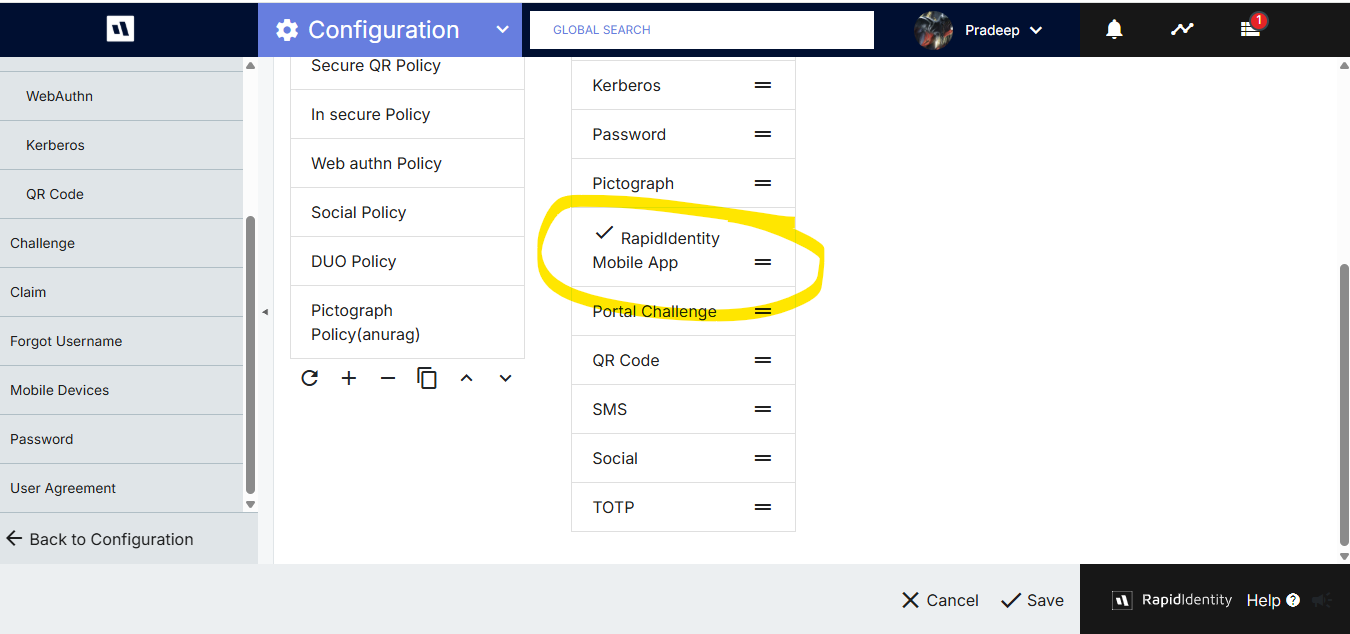
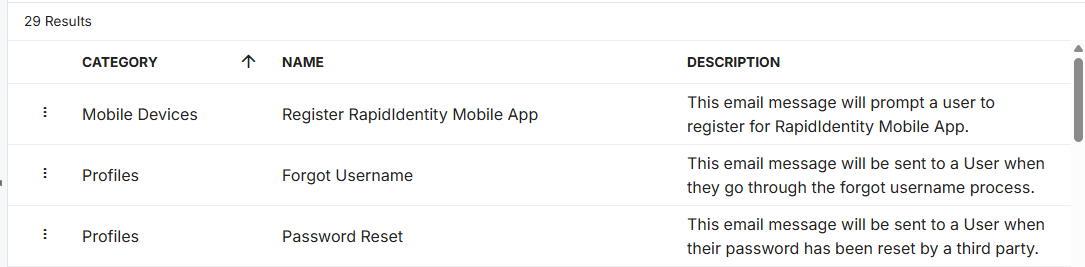
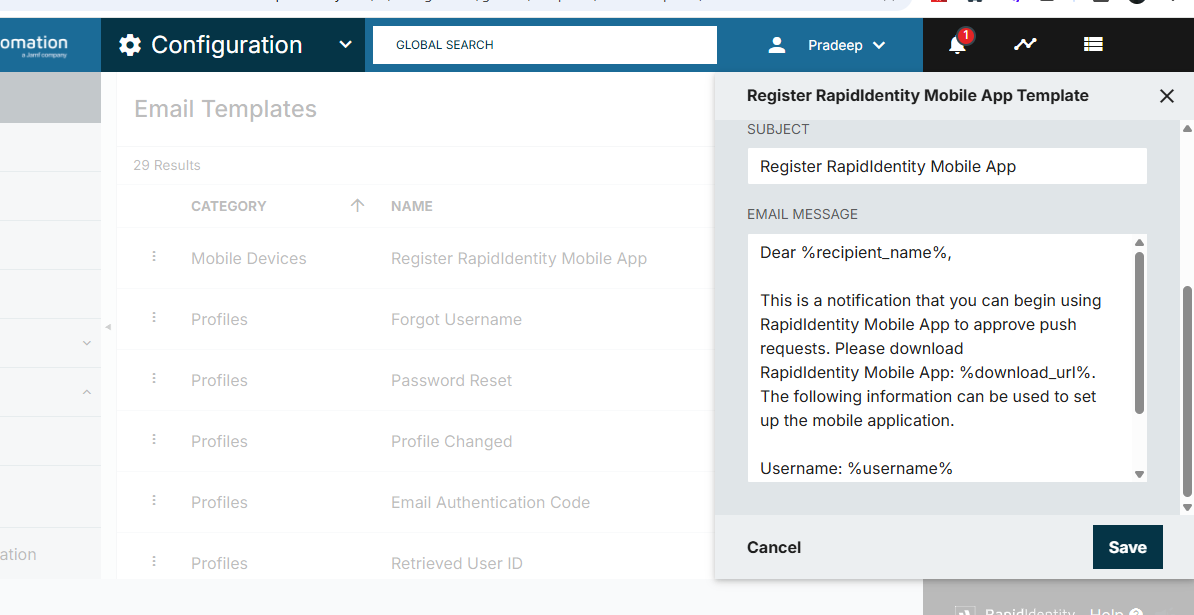
Effective with this release PingMe will now be referred to as the RapidIdentity Mobile App. As part of this transition, all references to PingMe throughout the user interface have been updated to RapidIdentity Mobile App such as Authentication methods and Email Templates.
Federated Chromebook Login (RIC-5924)
To enhance user experience on Chromebooks, the Unified Login flow has been updated to securely store the username in a cookie and forward it internally within the authentication response when federated with another Identity Provider (IdP). This ensures sensitive data remains protected while maintaining full backward compatibility. The update introduces a login attribute mapping feature exclusive to Chromebook devices with a Global Address List (GAL) item dropdown.
Username Forwarding Behavior in Chromebook Federation Login:
When a user enters a value on the Chromebook login page, the system now searches for a match in the RI data using the attribute specified in the loginHint field during federation partner setup.
If a match is found, the username is automatically forwarded and the user is redirected to the authentication screen.
If no match is found, the user is directed to the standard username entry screen.
This update streamlines the login experience and improves identity federation handling.
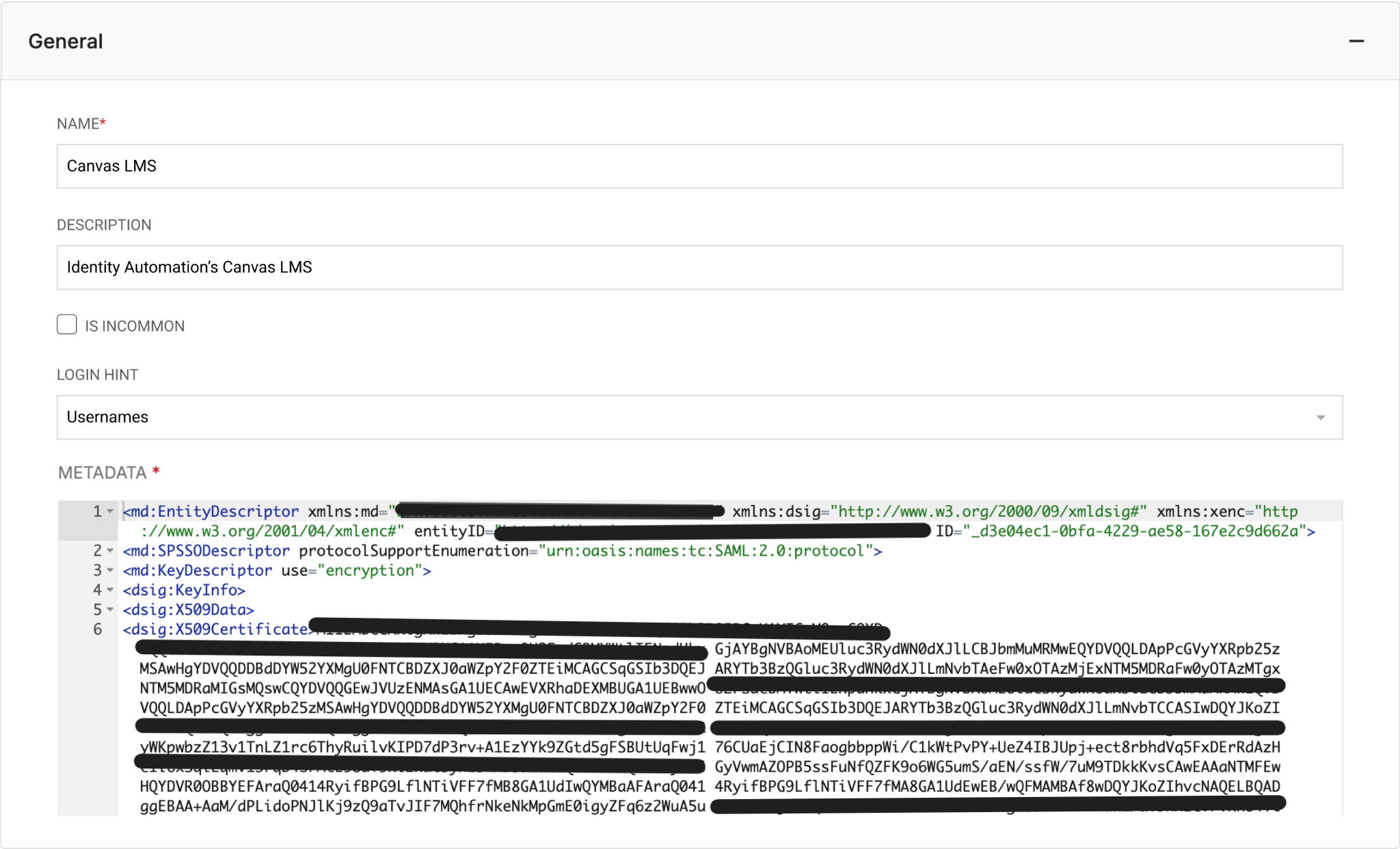
Note: In the attribute mapping section, the attribute containing the user's Google account email must be correctly linked or mapped for successful login.
Unified Login: External Auth Realm Support Added (RIC-5366)
Unified Login now supports authentication via External Auth Realm, enabling RapidIdentity to authenticate users through external identity providers like Active Directory etc. Users authenticating via external realms will be redirected to their identity provider for login and return seamlessly upon successful authentication.
Unified Login: Auto-Fill Username on IDP Redirect (RIC-6017)
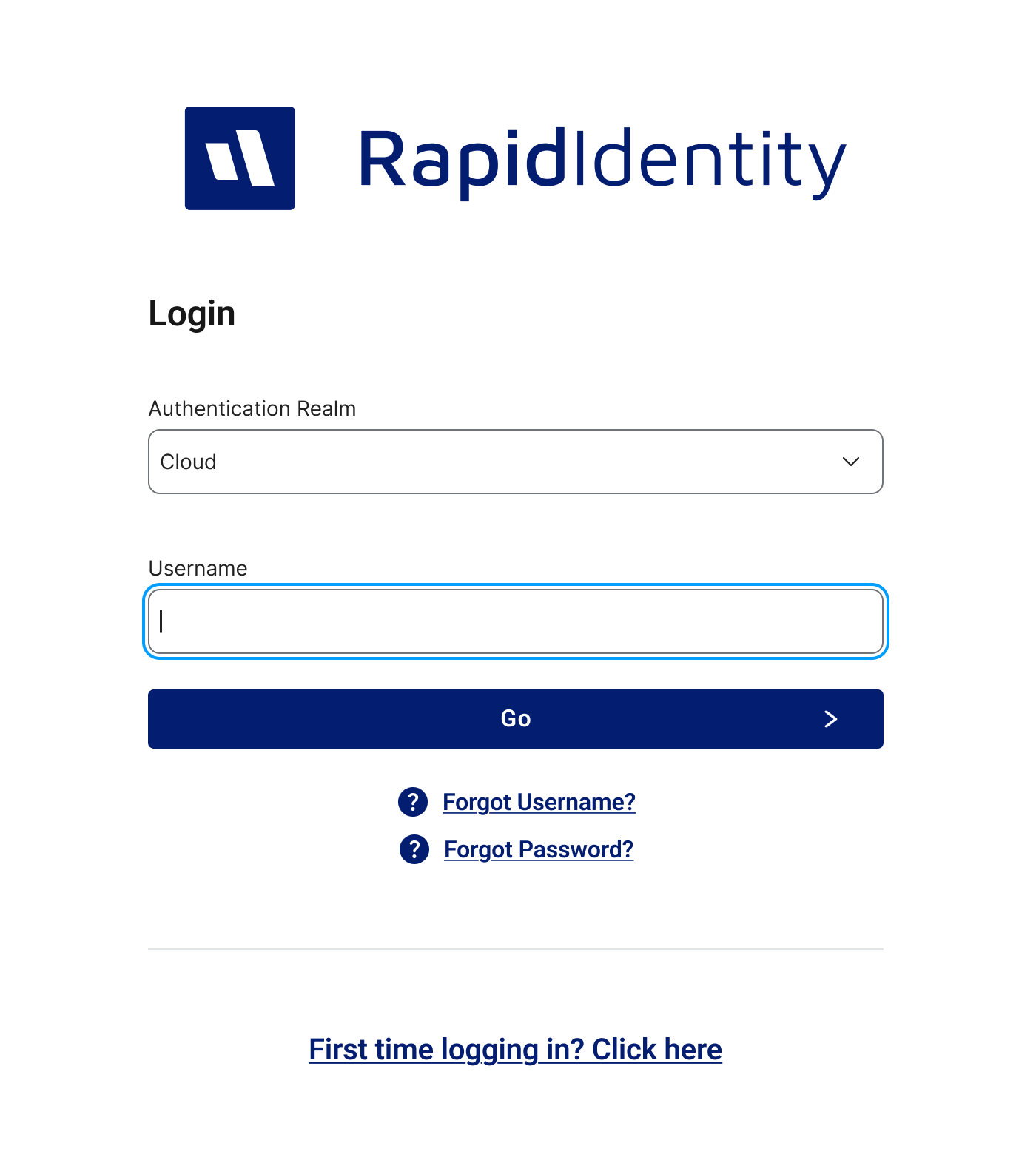
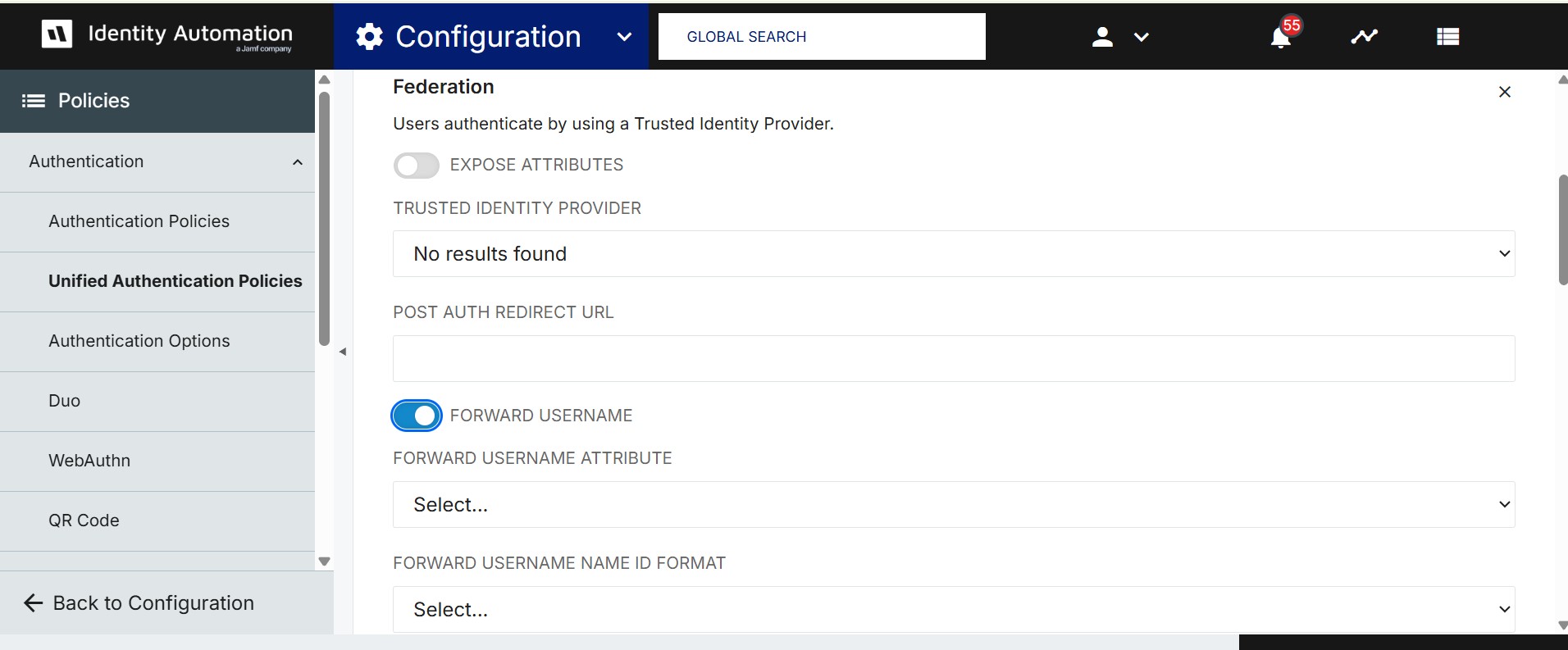
In this release, we are excited to announce that when a user is redirected from the Service Provider (SP) tenant to the Identity Provider (IDP) unified tenant, the username field on the IDP login page will now be automatically populated and provided the "Forward Username" checkbox is enabled in the authentication policy. This streamlines the login experience and reduces friction during federated authentication.
Federation Method Default Enrollment (RIC-6071)
Federation authentication is now enrolled by default, similar to QR method behavior.
For new users with only Federation in the policy, it appears disabled during claim/enrollment and is available for direct login post-enrollment.
For new users with Federation plus other methods, Federation remains disabled regardless of its placement in required/additional methods.
For existing users, if Federation is newly added, it becomes the default login method when placed first in the required queue.
Password method is suppressed if Federation is prioritized.
User Experience Defect Fixes (RIC-5861)
This release includes resolutions for several usability-related defects, aimed at improving overall consistency, reliability, and user experience across the platform.
The height of the Sidebar Settings button will now be consistent across different modules. The button now maintains a uniform appearance. (RIC-575)
The footer layout on the left side has been refined to ensure consistent alignment between the drop-down selector and the button. (RIC-577)
Advanced search functionality now works as expected, with results correctly sorted according to the default sort icon. (RIC-975)
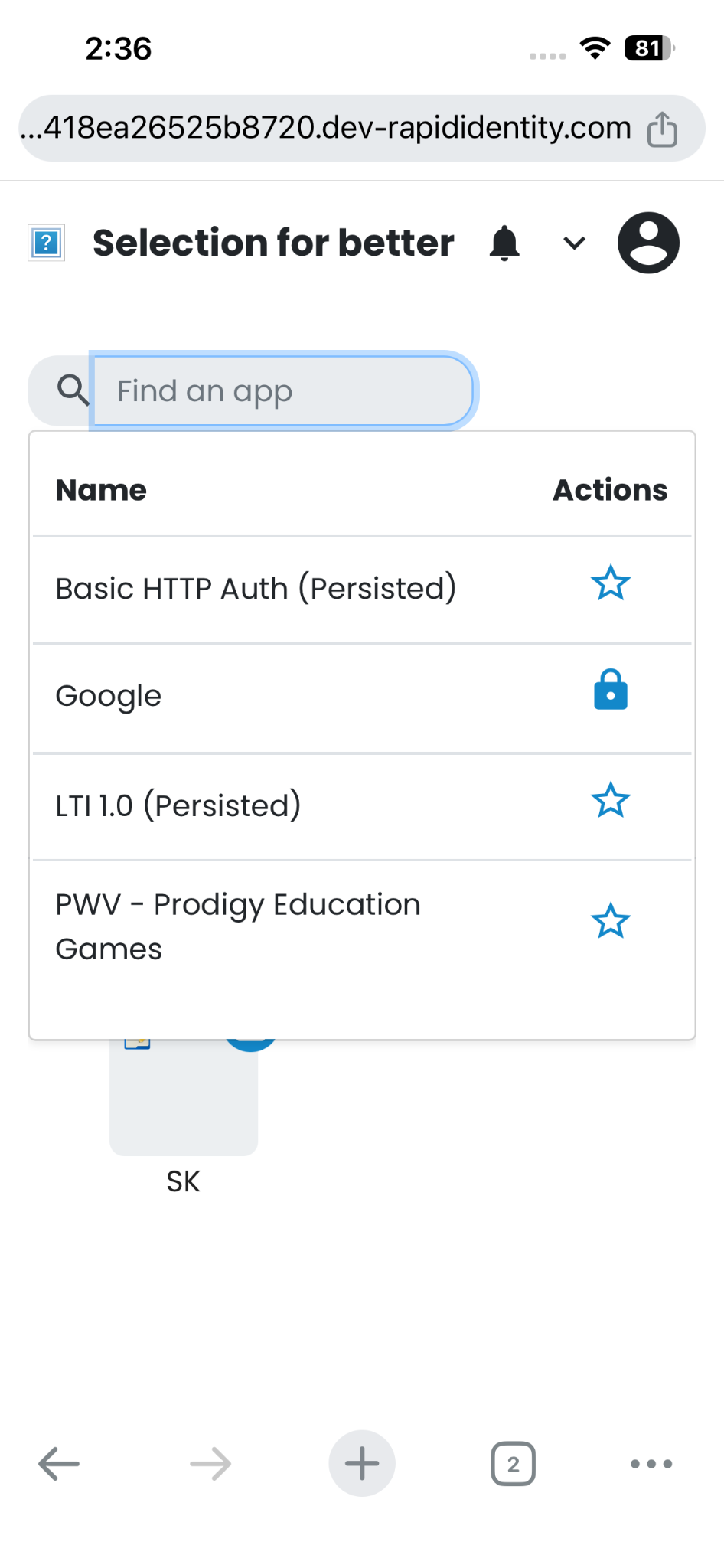
Users are now able to see the application names along with the favorite/lock icon during app search in the mobile dashboard. (RIC-4342)
Locale import and export now works smoothly without displaying any errors. (RIC-5994)
Resolved multiple UI and permission-related issues to ensure accurate group membership visibility and editing behavior for Tenant Admins and group co-owners without roles. (RIC-6273,6283,6300,6292)